
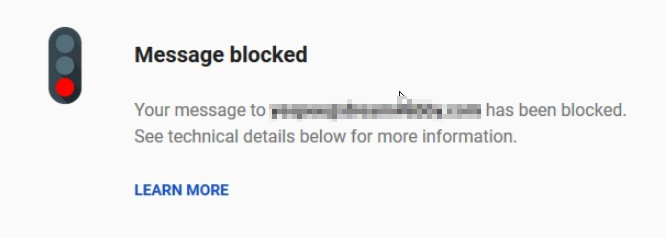
 Why Are My Google Workspace / Gmail Messages Being Blocked?
Outlined are a couple of reasons why Gmail messages are being blocked. The most common mistakes are:
- Incorrect Email Address.
- Dot or period at end of email ID.
- Spelling mistake or error.
- Spacing the email addresses.
These errors would most likely cause your sent emails to bounce back or get blocked. However, continuously sending emails to these unavailable mail addresses could also result in message rejection. Other factors that you should consider are to avoid sending the same exact emails repeatedly. Google has started categorizing such emails as spam and has since begun blocking such emails as well.
- Sending bulk email with an exorbitant amount of email addresses CC'd and/or Bcc'd – strict indication of spam.
- Too many suspicious links that are being continuously marked as spam by recipients.
- Cascading forms and other links to collect the user’s personal data.
- Recipients are marking your email as spam.
How to avoid Message Blocked errors.
There are a few ways that would help in avoid this situation:
- The first thing is to check the recipient email addresses are correct, and do not have any errors or mistakes as mentioned above. If you receive any no email ID exist bounce back, then it's better to remove the email address from your contact list to avoid re-sending the email again.
- It not advisable to send bulk emails to Cc or Bcc, rather create a Google group that includes all the email addresses in your mailing list and use that Google group sent bulk Emails.
- It’s prohibited to collect any personal information using email in any mode (forms, website links, etc.). Google algorithm is smart enough to catch the spammers and block them permanently.
- Lastly, if the email is continually blocked, then wait for at least 24 to 48 hours. Also, precheck if there is an issue with mailing server that might be also causing the Email to get blocked. If you feel that something isn’t working as intended, you can report the error to Gmail team at Google HERE.
Comments
0 comments
Please sign in to leave a comment.